



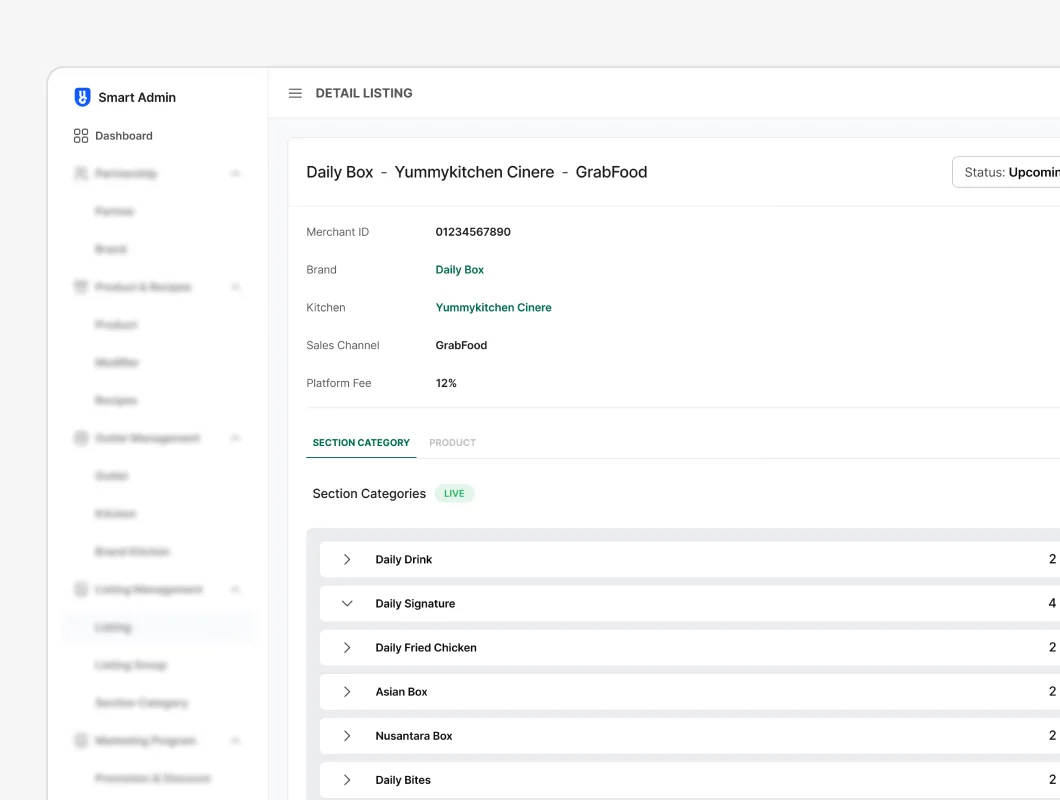
TL;DR
- Context. Yummy sells many brands from many kitchens on several delivery apps (GoFood, GrabFood…). Every listing (brand × outlet/kitchen × channel) has its own menu, prices, modifiers and availability. OLM puts all of it in one place. A wrong price or a product left switched off goes live on a delivery app straight away.
- What I did. Planned and ran a usability test of the beta with 5 of the people who would use it every day: 12 tasks across Listing, Catalog and Section category, covering 13 screens.
- What we learned.
- The listing tasks succeeded 80% of the time (20 of 25 attempts) at 36 s per task on average, and participants rated ease of use 4.4 / 5.
- Underneath that: scheduled price changes succeeded only 60% of the time, against 100% for immediate ones.
- Every participant mixed up the filter's search box with the table's.
- 4 of 5 couldn't tell a Sales Channel Listing from a Catalog.
- What changed. Four design changes before launch: one search field, the listing–catalog relationship shown where it matters, timing chosen as part of saving, and an edit mode that matches the rest of Smart Admin.
Context: what OLM manages
| Concept | What it is |
|---|---|
| Outlet → Kitchen → Brand | Where food is cooked, and for which brands |
| Catalog | A menu for one brand, or an all-in-one menu across several brands |
| Section category → Product → Modifier | How a catalog is organised |
| Sales channel listing | Brand × outlet/kitchen × channel (GoFood, GrabFood…), with its catalog, prices and availability |
One catalog can feed many listings, so a single change can update many listings across several apps at once. That's what makes OLM powerful, and it's also why a mistake costs so much. Changes can be applied now or on a date.
Research objectives
- Measure how successfully users complete core tasks in OLM
- Understand behaviour as they work through the system
- Find the difficulties they run into
- Collect new insights from the people who would use OLM every day
- Confirm the design meets their needs before launch
Metrics: task success, time on task, and a 1–5 ease-of-use rating at the end of each session.
Method
| Type | Qualitative: moderated usability test + in-depth interview |
| Participants | 5 internal users (Product Owner, Content team, BizInfra), the teams who would run OLM |
| Setting | In person at the Jakarta office · one moderator + one note-taker writing word-for-word notes · screen recorded with consent |
| Scope | 12 tasks · 13 screens (listing table, listing detail and split view, catalog table, create catalog, catalog detail and split view, section category table, create and detail, confirmation pop-ups) |
| Session flow | Introduction and consent → pre-interview → tasks → ease rating (1–5) and final feedback |
How each issue was graded
| Type | Definition |
|---|---|
| Suggestion | An improvement the participant mentions, low importance to them |
| Strong suggestion | A fix for something that clearly annoyed the participant |
| Minor issue | The participant stops to think but carries on |
| Major issue | A significant delay, or trial and error |
| Blocker | The participant gets stuck and only continues with help |
Why internal users and in person? OLM is a back-office tool. Its users are our colleagues, so we could test with the real users rather than proxies, and watch long, data-heavy tasks up close.
Designing the test
Pre-interview (warm-up and current behaviour):
- What do you do when you manage an outlet or brand? Do you have specific goals?
- What's hard about managing outlets in the current system?
- If technology could help you manage outlets better, how would you want it to help?
How I wrote the prompts:
- Start every module with an open question, "Spontan: bagaimana menurutmu?" ("first reaction: what do you think?"), before any task
- "Biarkan responden menyelesaikan task-nya sendiri" ("let the participant finish the task alone"): no help until they finish or give up
- After every task, the same probes: easier to understand? Why? More useful? Why?, so answers can be compared
Tasks
| # | Module | Task |
|---|---|---|
| 1 | Listing | Filter listings by outlet and status Aktif (active) |
| 2 | Listing | Change a product price and a modifier price, now |
| 3 | Listing | Make the same price change on a date |
| 4 | Listing | Turn a product off, now |
| 5 | Listing | Turn a product off on a date |
| 6 | Catalog | Create a single-brand catalog for one GoFood listing |
| 7 | Catalog | Create a multi-brand "all-in-one" catalog for one GrabFood listing |
| 8 | Catalog | Turn a product and a single modifier off, now |
| 9 | Catalog | The same, on a date |
| 10 | Catalog | Reorder section categories (move two of six to positions 2 and 3) |
| 11 | Section category | Create a section category, and explain what its type means |
| 12 | Section category | Rename a product inside a Customize-type section and read the confirmation |
Hypotheses written into the guide
- Users won't realise that changes can be scheduled
- Users won't be sure when a scheduled price takes effect
- Users won't realise list rows are clickable
- Users won't know a catalog can hold several brands
Findings
Task performance
Success and time were recorded for the five listing tasks. The catalog and section-category tasks were observed and their issues logged.
| # | Task | Success | Avg. time |
|---|---|---|---|
| 1 | Filter listings | 3 / 5 (60%) | 17 s |
| 2 | Change price, now | 5 / 5 (100%) | 57 s |
| 3 | Change price, on a date | 3 / 5 (60%) | 54 s |
| 4 | Product off, now | 4 / 5 (80%) | 18 s |
| 5 | Product off, on a date | 5 / 5 (100%) | 35 s |
| Overall | 20 / 25 (80%) | 36 s |
Ease-of-use rating: 4.4 / 5 (4, 4, 5, 5, 4)
Issues logged
| # | Issue | Where | Type | Participants |
|---|---|---|---|---|
| 1 | Mixed up the search inside the filter with the search on the table | Listing table | Minor | 5 / 5 |
| 2 | Unsure how Sales Channel Listing differs from Catalog in the menu | Navigation | Minor | 4 / 5 |
| 3 | Didn't realise one catalog feeds many listings | Catalog detail | Strong suggestion | 2 / 5 |
| 4 | Clicked Edit first to reorder section categories | Catalog detail | Minor | 2 / 5 |
| 5 | Assumed Edit was needed to switch a modifier on or off | Catalog detail | Major | 1 / 5 |
| 6 | Didn't know what a catalog is | Catalog table | Major | 1 / 5 |
| 7 | Didn't know what the Complete status means | Listing detail | Suggestion | 1 / 5 |
| 8 | Searched through the filter rather than clicking the listing in the table | Listing table | Minor | 1 / 5 |
Insights
1. Two search boxes, one intention. Every participant confused the filter's search with the table's (5/5, the highest-severity issue), and filtering was one of the two weakest tasks (60%). Another participant skipped the table entirely and went straight to the filter. For a list of hundreds of listings, search is the way in, and it has to be one obvious thing.
2. The model that makes OLM powerful was invisible. 4 of 5 couldn't tell Listing from Catalog, 2 didn't realise a catalog feeds many listings, and 1 didn't know what a catalog was. That's more than a naming problem: someone who doesn't know a catalog feeds ten listings might edit it thinking they're changing one.
3. Scheduling is easy to use but hard to find the first time. Changing a price now: 100%. Scheduling the same change: 60%. Yet scheduling a product off, later in the session, succeeded 100% of the time in 35 s. Once people had found the option, it was easy. The problem is finding it the first time, not complexity.
4. Our own design system taught people to look for Edit. 3 of 5 participants reached for Edit before reordering or toggling. Elsewhere in Smart Admin and the stock tools, tables work as Edit → Simpan (save). The catalog's direct-manipulation controls broke a pattern we had taught them ourselves.
5. A high rating doesn't mean an easy task. Participants rated ease 4.4/5 even though two tasks failed 40% of the time. Internal users are generous, so we prioritised what they did over what they said.
Hypotheses
| Hypothesis | Result |
|---|---|
| 1. Scheduling isn't discovered | Partly confirmed: 60% on the first scheduled task, 100% on the second |
| 2. Effective time is unclear | Not measured directly. The 2 failed scheduled-price attempts point this way |
| 3. Rows don't look clickable | Weak signal: 1 of 5 used the filter instead of clicking a row |
| 4. Multi-brand catalogs aren't discovered | Broader than expected: the catalog concept itself was unclear (Insight 2) |
Design changes
Prioritised by how severe and how frequent each issue was, against the effort to fix it.
| Issues | Change | Why |
|---|---|---|
| 1, 8 | One search field above the table. The filter panel only holds structured filters (outlet, brand, channel, status), and applied filters show as removable chips | One place to type, and you can always see what's filtering the list |
| 2, 3, 6 | Show the relationship where it matters. A short description under each menu item, a "Dipakai di N listing" ("used in N listings") column on the catalog table, a link from each listing to its catalog, and a warning on catalog edits: "Perubahan ini berlaku untuk N listing" ("this change applies to N listings") | Makes the one-to-many effect visible before someone changes it |
| Insight 3 | Choose the timing when saving. Langsung / Jadwalkan (now / schedule) appears in the save step, the confirmation states the exact moment ("Harga baru berlaku 3 Des 2022, 00:00": "new price takes effect 3 Dec 2022, 00:00"), and scheduled rows get a Jadwal mendatang (upcoming) tag. This is the same pattern as the stock take scheduler | Scheduling becomes a choice everyone sees, not an option you have to find |
| 4, 5 | Follow the system's edit pattern. Catalog detail uses Edit → Simpan like other Smart Admin tables, and reorder handles and modifier toggles appear in edit mode | Do what users already expect instead of teaching an exception |
| 7 | Status legend with a tooltip, and Complete renamed to Siap tayang ("ready to go live") | Status names should say what happens next |
Result: a quick retest with 3 users: scheduled price change 3/3, and nobody confused the two searches.
Reflection
- Hypotheses before sessions. Writing down what I expected to break pointed the sessions at the riskiest flows: scheduling and catalogs.
- Behaviour over ratings. 4.4/5 would have read as "ship it". The task data said otherwise.
- Consistency works both ways. A design system builds expectations, and anything that breaks them gets noticed. Issue 4 came from our own patterns.
- What I'd do differently:
- Time every task, not just the listing ones
- Vary the task order. Scheduled on/off came after scheduled price, so its 100% is partly learning from the previous task
- Add outlet ops to the participants, not only HQ teams

KhoirulAuthor
Thanks for reading — happy to walk you through the decisions on a call.